
See AppBar in Action
As part of our Zappl interactive demo.
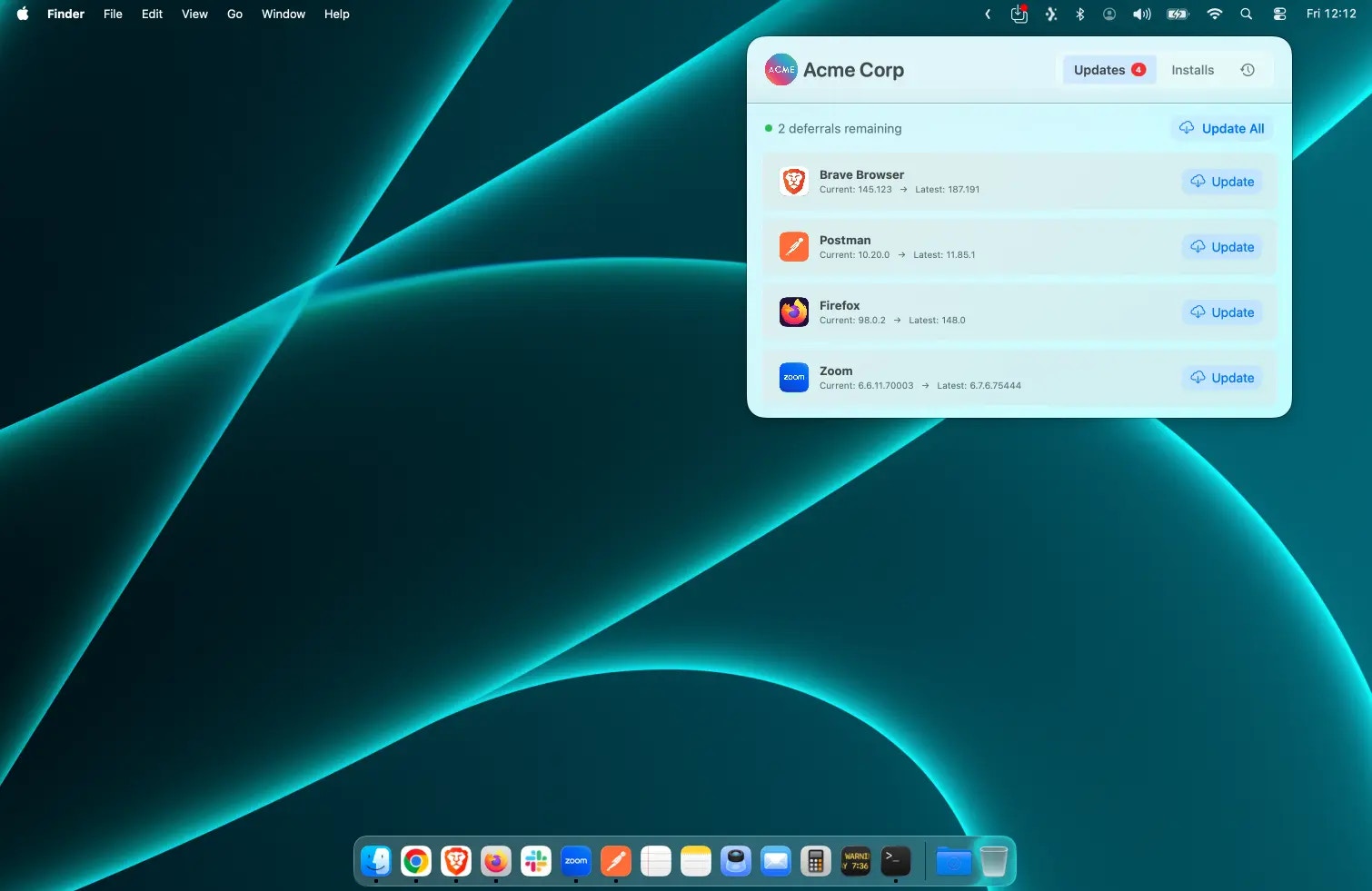
What is AppBar?
AppBar is Zappl’s menu bar companion, designed to empower users with simple, self-service options to update and install third-party applications on their Mac — without any admin credentials or password prompts. Sitting quietly in the menu bar, AppBar gives users access to potentially 1,100+ apps, all securely delivered by Zappl. Whether it’s updating an existing app or installing something new from your company-approved catalog, AppBar makes the experience effortless for end users. AppBar also provides users with full visibility of the last 7 days of Zappl activity — not just the updates and installs they initiate themselves, but silent background updates that Zappl performs automatically on apps which aren’t in use. This gives your users confidence that Zappl is keeping everything compliant, exactly as it should be.AppBar requires an active Zappl licence and Zappl version 2.3.0 or later. If you have disabled Zappl self-updates, please re-enable them or deploy the latest Zappl installer to your fleet manually before proceeding.
Self-Service Updates
Users can update their apps on demand, without waiting for a scheduled prompt.
App Installs
Browse and install from 1,100+ company-approved apps — no admin rights needed.
Activity History
A full 7-day log of updates and installs, including silent background activity from Zappl.