> ## Documentation Index
> Fetch the complete documentation index at: https://docs.zappl.co/llms.txt
> Use this file to discover all available pages before exploring further.
# Applications
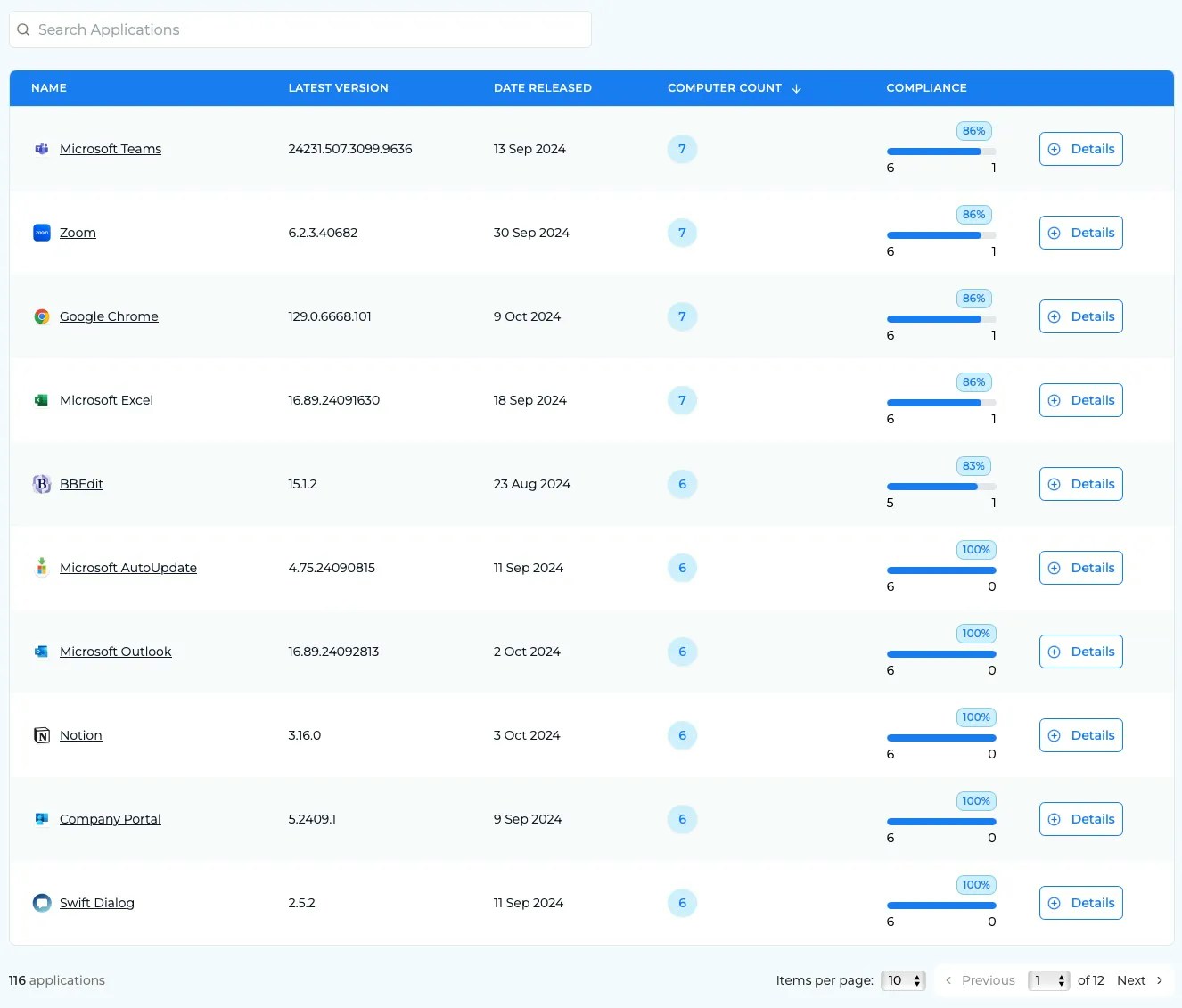
> The Applications page displays a comprehensive list of all applications in your estate that can currently be (and are currently being) patched by Zappl.It does not list every application available in our [App Catalog](zappl.co/app-catalog).
## Application List
This list shows your compliance from an application point of view, rather than based on your devices. It is sorted alphabetically by default, however you can sort all columns in this table - making it great for seeing options like your least-compliant applications, how many applications the computers have installed, and the latest updates that are available through Zappl.
You can also search for specific applications using the search bar, allowing you to quickly pinpoint what you need.
The search bar goes further than just application name - it will also search the **description**, **identifier**, **developer** and **more** against what you have typed in.
## Application Compliance
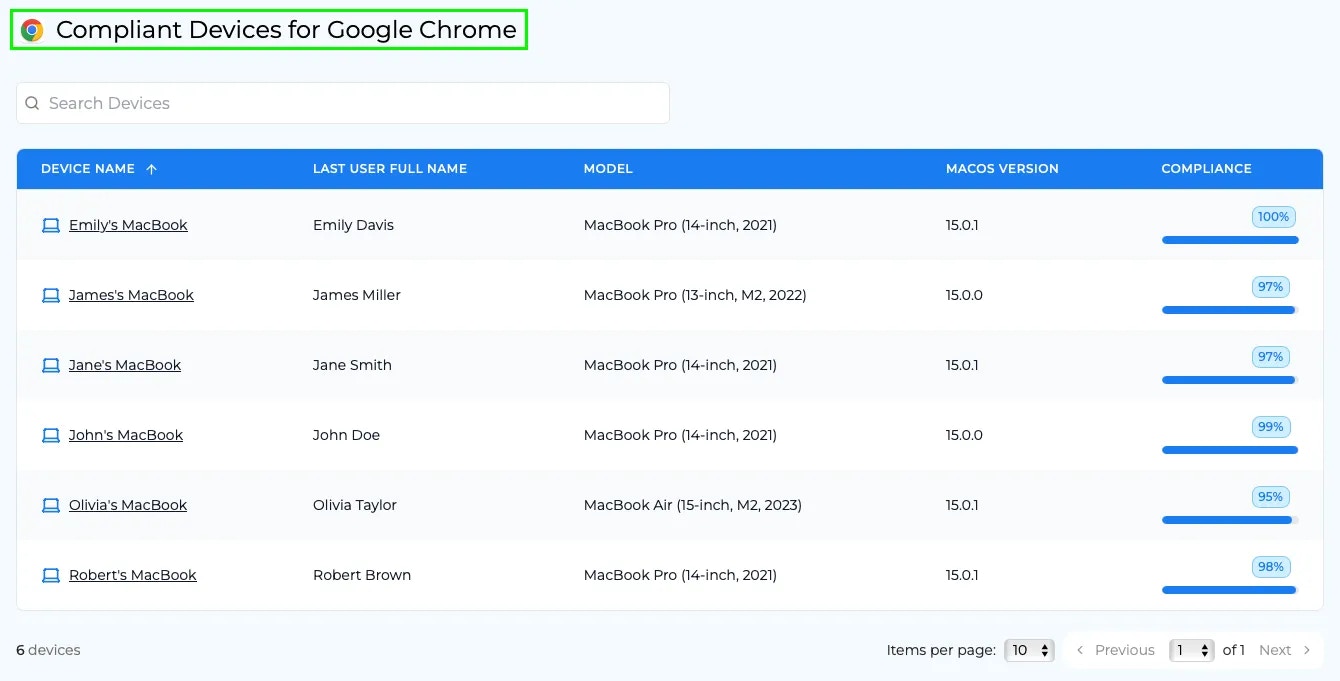
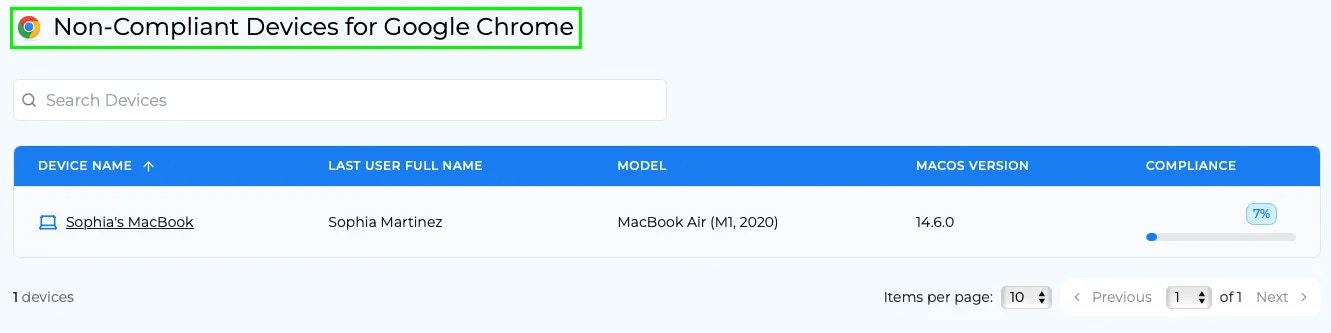
Within the Compliance column, you have the option to view filtered lists of which devices (that have the app installed) are compliant (left), or non-compliant (right).

## Application Details
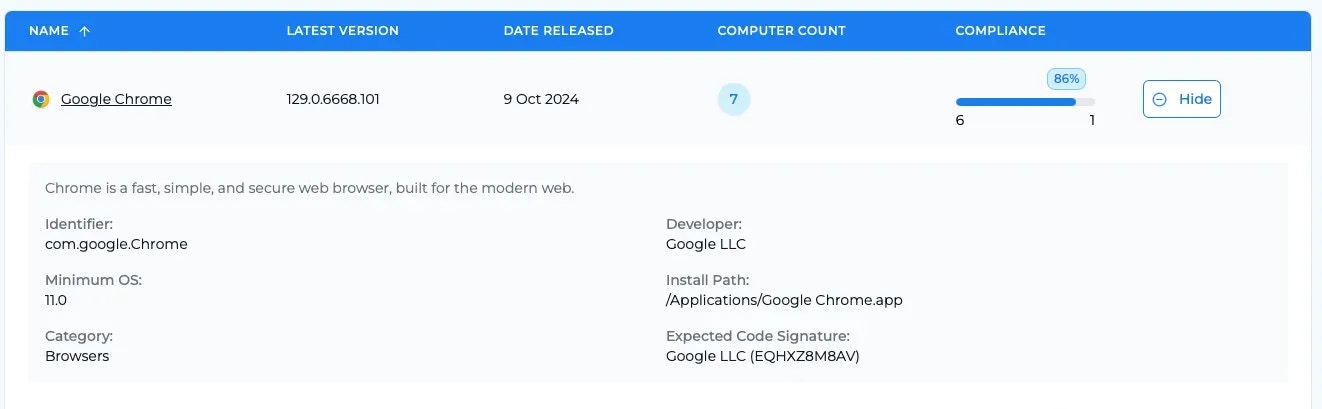
Clicking on either the application name or the **Details** button will show you further information regarding that app, such as the install path, minimum OS required for install and the expected Code Signature that Zappl checks against when running it’s [Security checks](/about/security).