> ## Documentation Index
> Fetch the complete documentation index at: https://docs.zappl.co/llms.txt
> Use this file to discover all available pages before exploring further.
# Uninstall Zappl
> If you need to reinstall or completely uninstall Zappl, use the included `uninstall` executable.
> Zappl's `uninstall` executable is located at `/Library/Application Support/DARE/Zappl/Bin/uninstall` and can be run from the command line or as part of a script.
## Uninstalling Zappl with Terminal
To uninstall Zappl using the Terminal application; simply launch Terminal, input sudo /Library/Application\ Support/DARE/Zappl/Bin/uninstall and press enter.
Launch **Terminal**
Input `sudo /Library/Application\ Support/DARE/Zappl/Bin/uninstall`
Sufficient user privileges will be needed to run `sudo` commands.
Press **Enter**.
To uninstall AppBar but keep all other Zappl components, first ensure the [Automatically Install AppBar](/customise/preferences#automatically-install-appbar) preference is unchecked - then use `sudo /Library/Application\ Support/DARE/Zappl/Bin/uninstall --appbar`
## Uninstalling Zappl with Jamf Pro
In Jamf Pro, navigate to *Computers > Policies* and click **New**
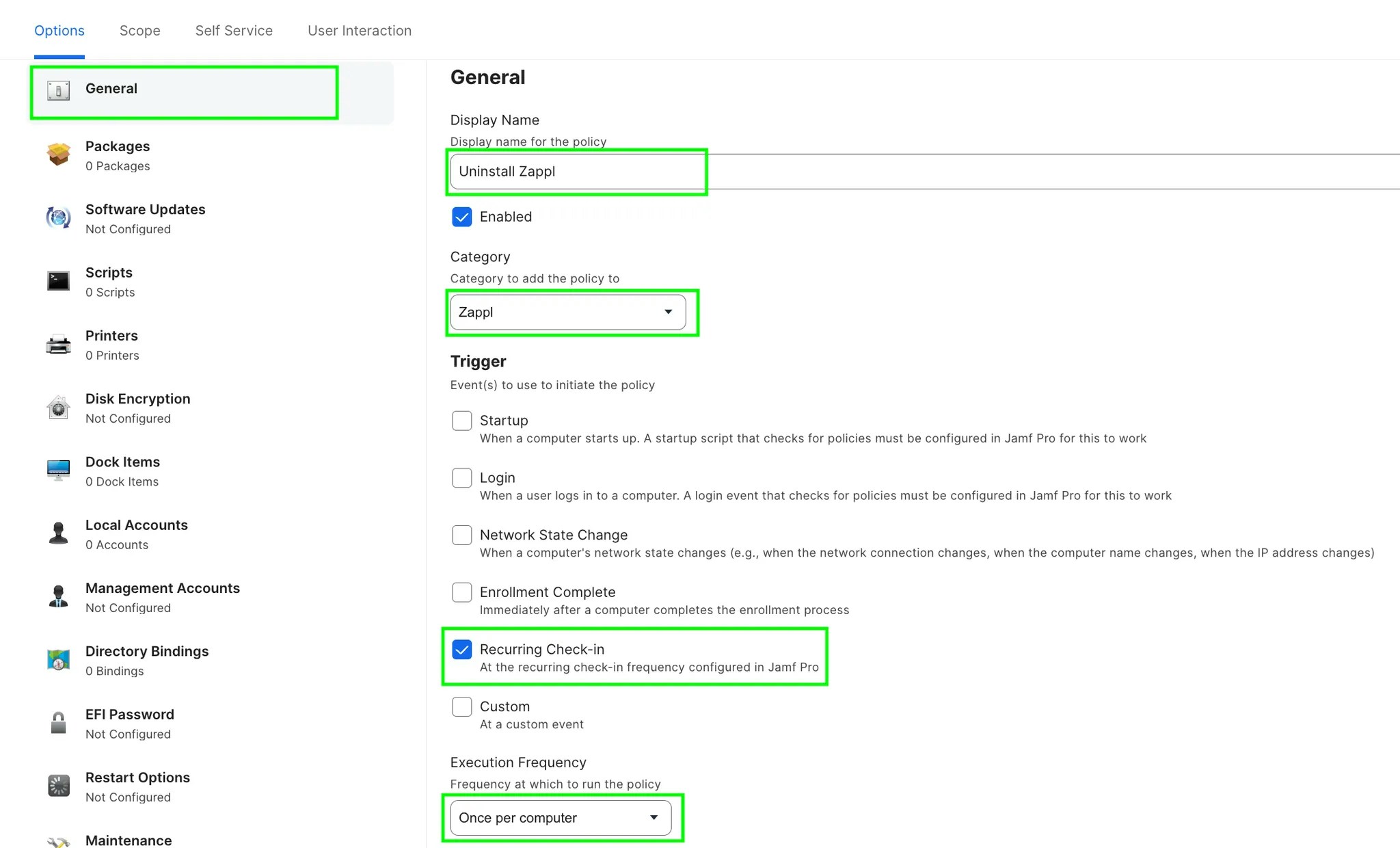
In the *General* payload, configure a suitable `Display Name`, `Category`, `Trigger` and `Execution Frequency`
 Navigate to the *Files and Processes* payload and click **Configure**
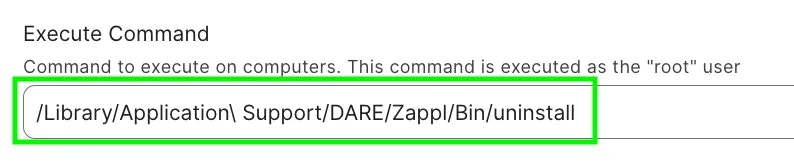
In the *Execute Command* field, input `/Library/Application\ Support/DARE/Zappl/Bin/uninstall`
Navigate to the *Files and Processes* payload and click **Configure**
In the *Execute Command* field, input `/Library/Application\ Support/DARE/Zappl/Bin/uninstall`
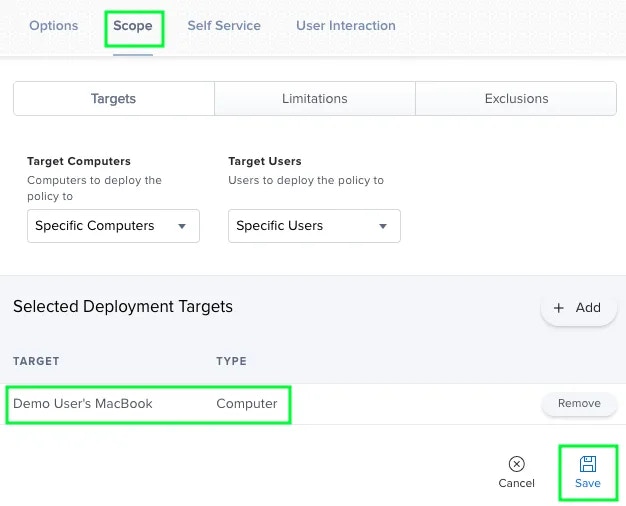
 Navigate to *Scope*, select your desired scope target for the Zappl uninstall and click **Save**.